
Locate's maintenance tools help you plan service before it's due, track problems until they're fixed, and keep a complete service record for every vehicle. Most of them are in Operations, in the Maintenance and DVIR columns, and on each vehicle under Maintenance.
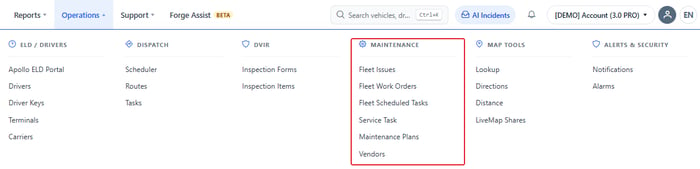
A typical workflow
- Plan the routine service. Create maintenance plans and apply them to your vehicles. How do I set up a maintenance plan?
- Get reminded. Choose who is emailed and how far ahead. How do I get maintenance reminders?
- Handle one-off needs. Schedule a task on a single vehicle. How do I schedule service for one vehicle?
- Catch problems. Drivers inspect their vehicles with DVIR forms, and anyone can report an issue. How do I set up DVIR inspection forms? · How do I report and track a vehicle issue?
- Do the work. Use a work order to plan and track the job. How do I use work orders?
- Record it. Log the completed service so the schedule resets. Where can I enter a vehicle maintenance record?
- Review. See what's due with the Maintenance Tasks report, and what was done and what it cost with the Maintenance Logs report.
Set up the lists first
Add your shops under Operations > Vendors, and any job that isn't in the standard list under Operations > Service Task. You can then choose them in plans, work orders and service entries.
| Readings matter. Distance- and hours-based schedules use the odometer and engine hours your GPS device reports. If a reading is wrong, correct it first: see How do I adjust vehicle odometer or engine hours? |