
PosiTrace has improved how written-off invoices appear in the customer portal. If PosiTrace has written off an invoice — for example after equipment was returned (RMA) or a billing correction was made on our side — you do not owe anything on it, and the portal now makes that clear.
What "No Payment Required" means
An invoice marked No Payment Required has been written off by PosiTrace. You do not owe the amount on it, you will not receive payment reminders for it, and no payment can be made against it. No action is needed from you.
Why some invoices no longer appear in your list
Because nothing is owed on them, written-off invoices are hidden from your invoice list by default. Your list opens showing only the invoices that matter day to day — those due for payment, paid, or cancelled. Written-off invoices remain available whenever you want to see them.
How to view written-off invoices
- Sign in to the portal and open Portal → Invoices.
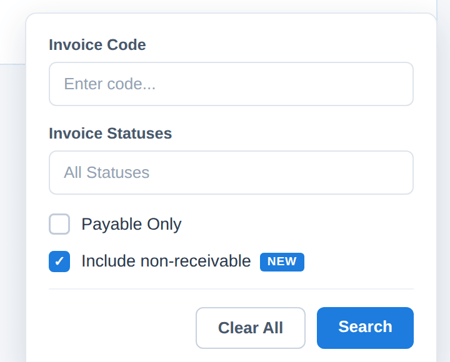
- Click the filter icon (funnel) at the top right of the invoice list.
- Tick Include non-receivable and click Search.
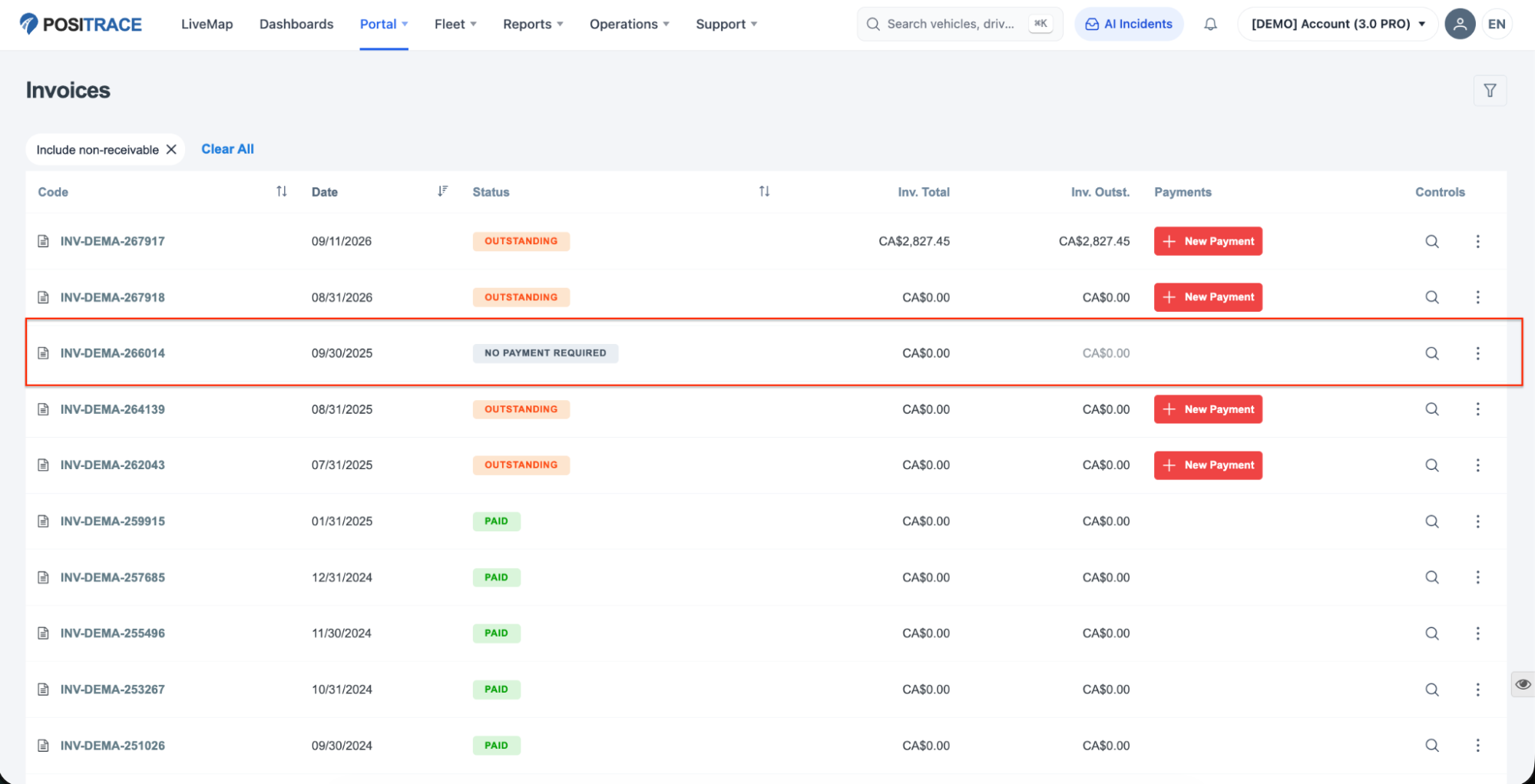
Written-off invoices now appear in your list alongside the others. You can recognise them at a glance: a grey No Payment Required status, an outstanding amount of 0.00, and no payment button. An Include non-receivable chip above the list reminds you the filter is active — click its × (or Clear All) to hide these invoices again.
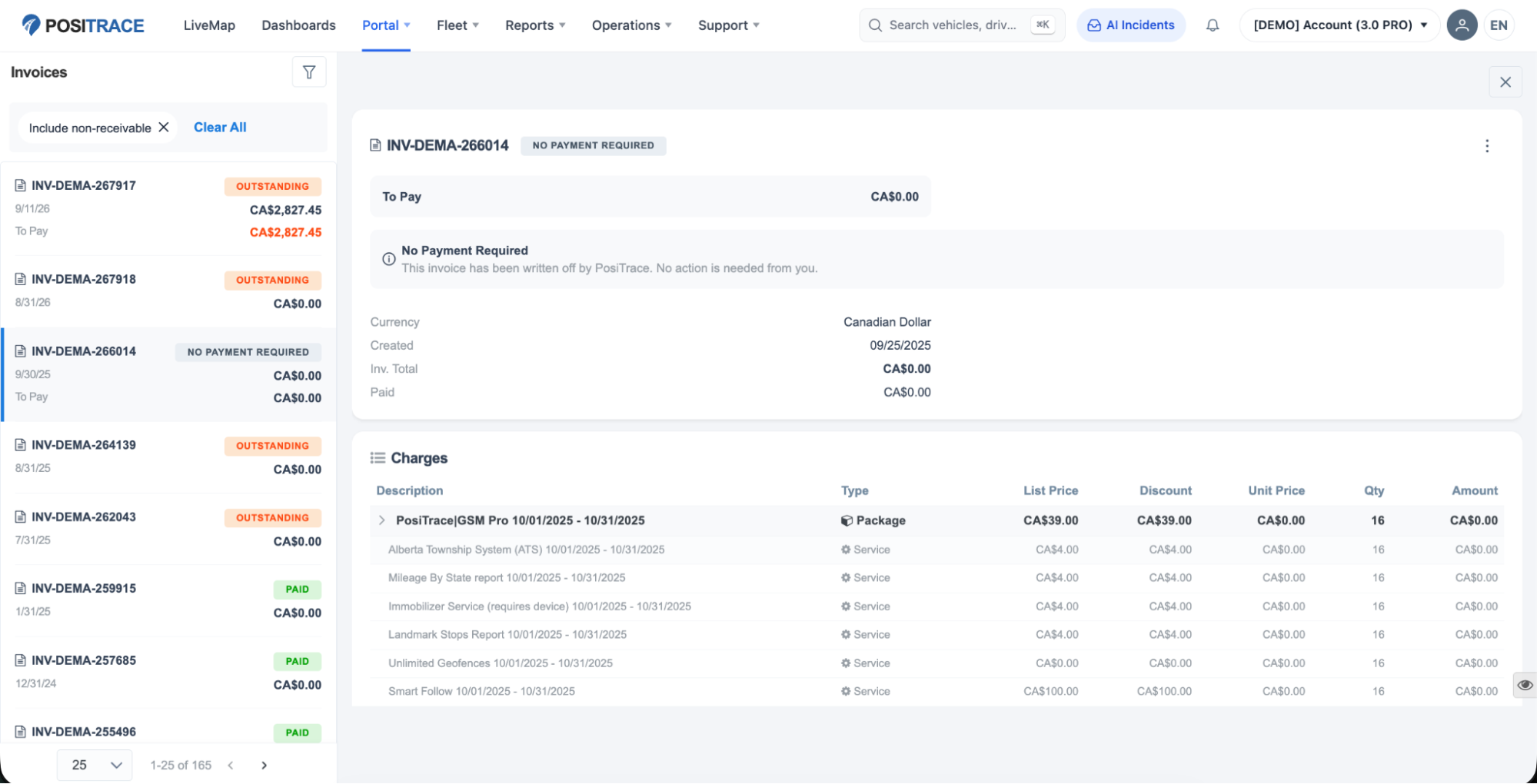
Open any written-off invoice to see its details. The header shows No Payment Required, the To Pay amount is 0.00, and a note confirms: "This invoice has been written off by PosiTrace. No action is needed from you." The invoice's original details — total, payments recorded, and line items — remain visible for your records.
Frequently asked questions
Do I owe anything on an invoice marked "No Payment Required"?
No. Nothing is due on it, now or later. The write-off usually reflects returned equipment (RMA) or a billing correction on our side.
Will I still receive reminders or overdue notices for these invoices?
No. Written-off invoices never trigger payment reminders, and any previously shared payment links for them no longer accept payment.
Why does the invoice still show its total and line items?
The invoice remains part of your billing history — a record of what was billed. Only the payment expectation changes: the amount to pay is 0.00.
I still see invoices marked "Outstanding". Are those affected?
No. Invoices shown as Outstanding are genuinely due and can be paid as usual. Paid and cancelled invoices are also unchanged.
Does the "Payable Only" filter include written-off invoices?
No. "Payable Only" shows only invoices with an amount actually due — written-off invoices never appear in it, even when "Include non-receivable" is also ticked.
What about the PDF version of a written-off invoice?
You can still download it. It keeps the billed amounts for your records, but it no longer offers a payment link.
I retrieve invoices through the PosiTrace API. Anything to know?
Written-off invoices are omitted from GET /api/v1/invoices by default. Add filters[unreceivable]=true to include them; on these invoices outstanding is false and the presented to_pay is "0.0".
Questions?
If anything about an invoice looks wrong, or you believe an invoice was marked "No Payment Required" in error, please contact PosiTrace Support through the portal (Support menu) or your account manager.