
Introduction
This guide shows you how to set your vehicle's Fuel Tank Capacity so you can view fuel levels in both liters and percentage across charts, the live map, and reports.
What this feature does
Fuel sensors report fuel in one of two ways — some report in liters, others in percentage. If your fleet uses a mix of both, your reports and charts can look inconsistent, and it's hard to compare vehicles or add up your total fuel.
By entering each vehicle's fuel tank capacity, PosiTrace can convert between the two units automatically. Once capacity is set, you can:
- View any vehicle's fuel in liters, percentage, or switch between them with a toggle.
- See consistent, liters-based totals in your fuel reports.
- Set capacity for many vehicles at once with Mass Update.
- The fuel tank capacity field uses your account's measurement unit — Liters or Gallons. Check your account settings if you're unsure which is in use.
- You'll need the total tank capacity for each vehicle (for example, 400 L). This is usually in the vehicle's specifications or owner's manual.
How to set fuel tank capacity for one vehicle
- Open Equipment and select the vehicle you want to update.
- Go to the Equipment Details / Settings section.
- Find the Fuel Tank Capacity field.
- Enter the vehicle's total tank capacity.
- Click Save. A confirmation message will appear — confirm to apply (see Good to know below).
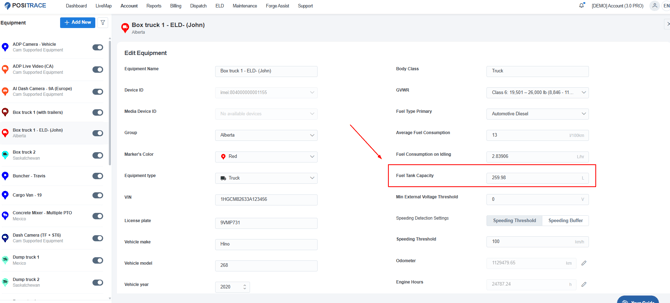
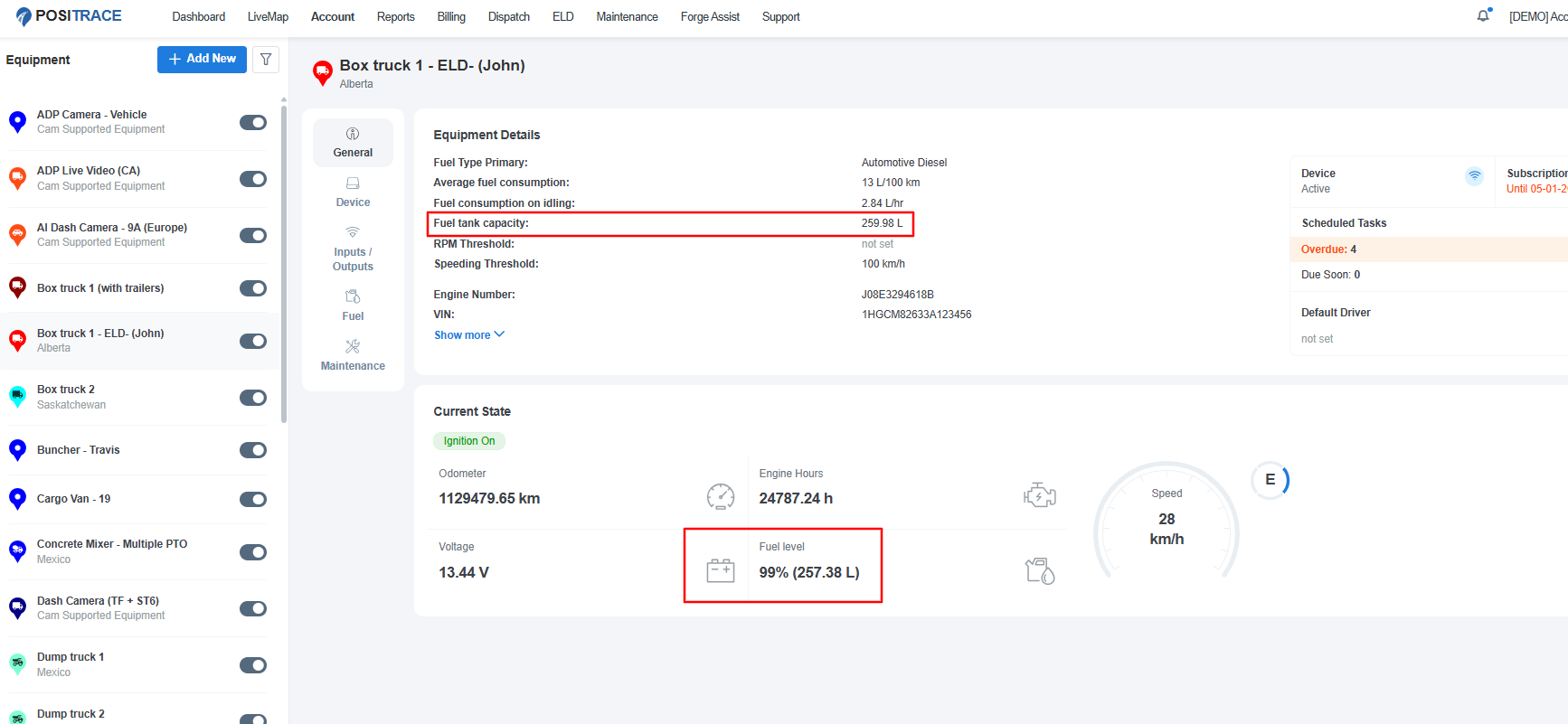
The Fuel Tank Capacity field in the equipment settings.
That's it. Once capacity is saved, the liters/percentage views and toggle become available for that vehicle.
How to set fuel tank capacity for many vehicles at once
If you have several vehicles with the same tank size (for example, five identical trucks), you can update them together instead of one by one.
- Open your equipment list.
- Use the checkboxes to select all the vehicles with the same tank capacity.
- Click Edit to open the bulk-update window.
- From the field drop-down, choose Fuel Tank Capacity.
- Enter the capacity value and apply. It's saved to every selected vehicle at once.
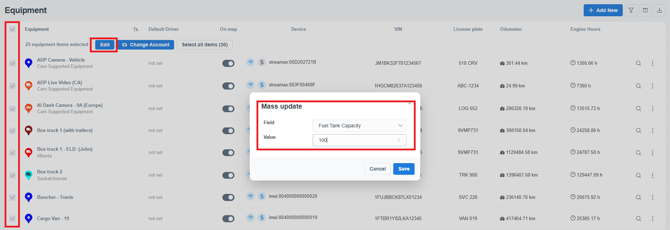
Select similar vehicles, choose Fuel Tank Capacity from the drop-down, and apply to all at once.
How to switch between liters and percentage
After capacity is set, you can view fuel in either unit in these places:
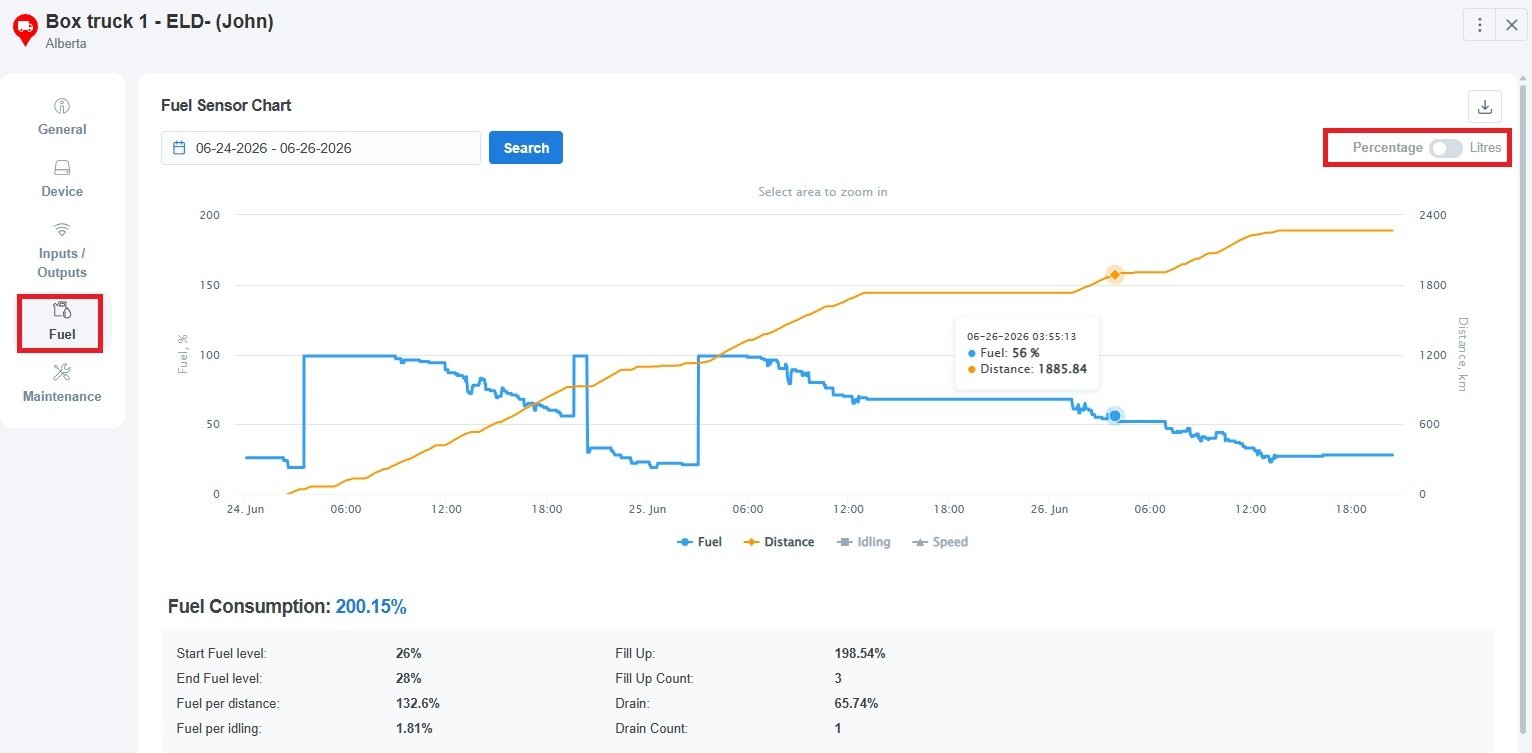
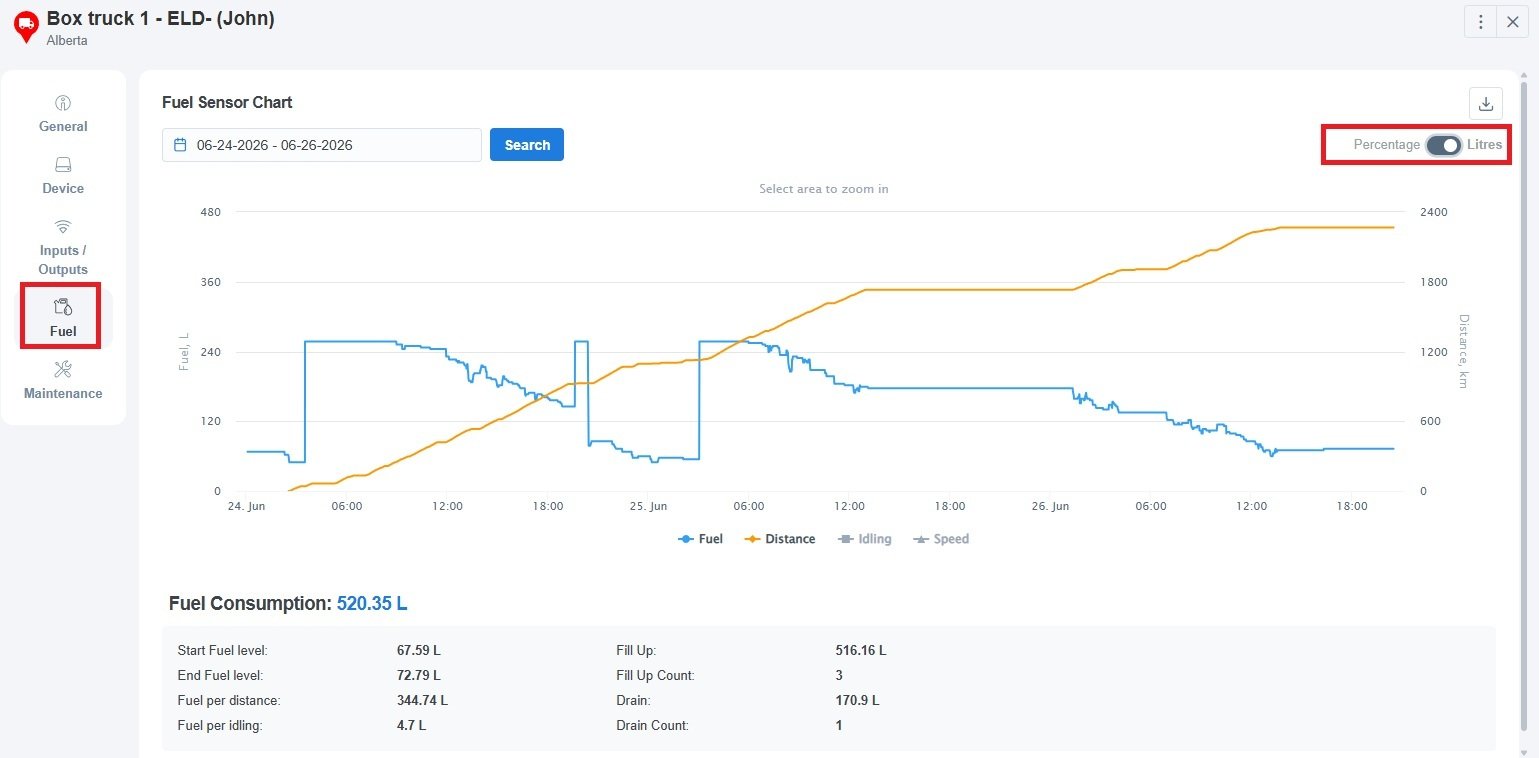
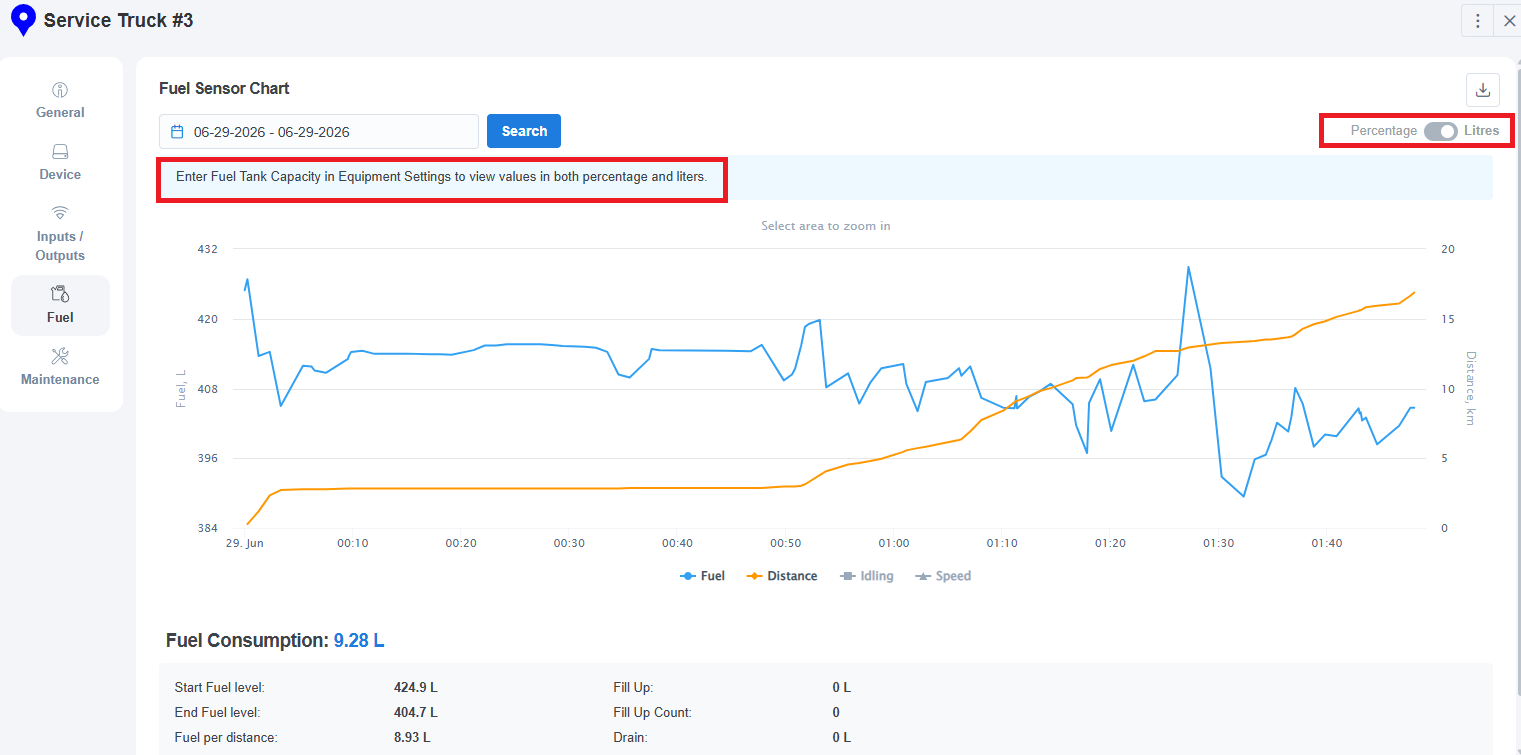
- Fuel sensor chart (on the equipment view): use the toggle button to switch the chart between liters and percentage.
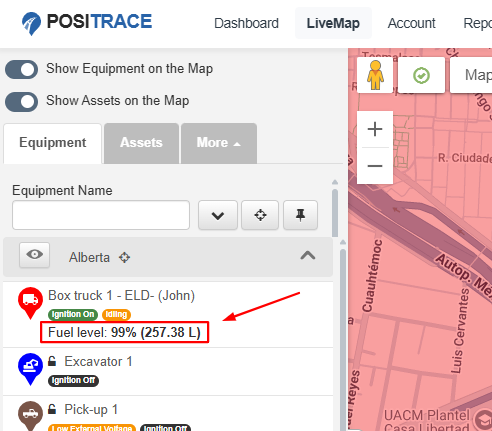
- Equipment current state and the equipment card on the live map: both liters and percentage are shown together.
The same fuel sensor chart, shown in liters and in percentage using the toggle:
On the equipment current state and the live-map card, both units appear together once capacity is set:
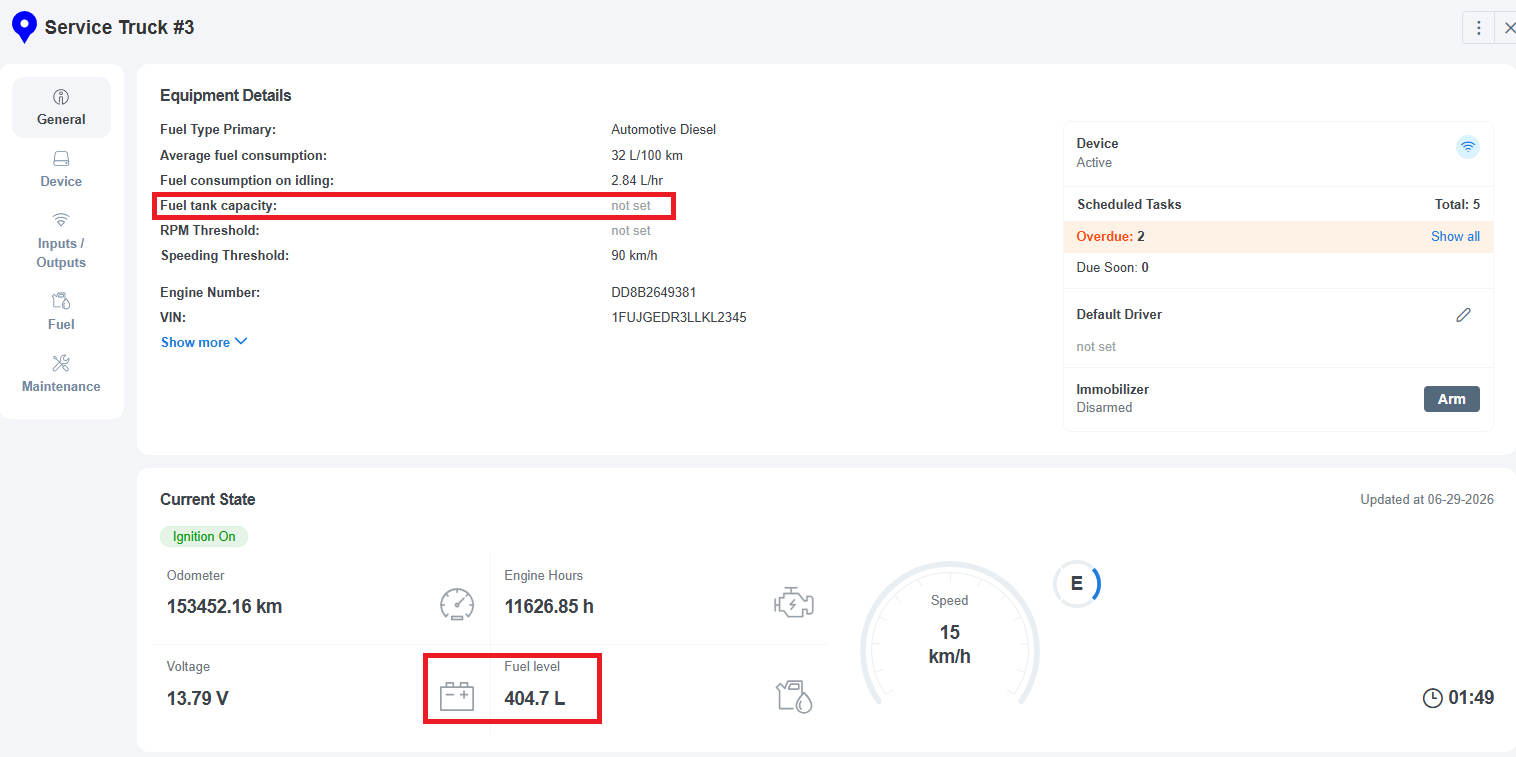
If a vehicle does not have a tank capacity set, you'll only see the value your sensor reports natively (either liters or percentage), and the toggle won't be available. A hint will remind you to enter the capacity.
How fuel appears in reports
Fuel reports — such as the Fuel Fill-up / Drain and Fuel Level reports — and the dashboard fuel charts show values in liters so everything is consistent and comparable.
If a vehicle uses a percentage sensor and no capacity has been entered, the system can't calculate liters, so those fields will appear blank or as "—". To fix this, simply enter the fuel tank capacity for that vehicle.
Good to know
- Your charts may show a "jump" after you set or change capacity. This is normal — PosiTrace recalculates current and past fuel levels to match the new capacity. It will not trigger a false fuel fill-up or theft alert.
- Overfilled tanks: if a sensor briefly reads more than a full tank, the liters value shows the true reading, while the percentage is capped at 100%.
- If you remove the capacity value, the liters/percentage conversion stops and reports will show "—" again until you re-enter it.
Frequently asked questions
Do I need to set capacity for vehicles that already report in liters?
Only if you'd also like to view those vehicles in percentage. Liter-based sensors already show liters without any setup.
Will setting the capacity change my older data?
Yes — both current and historical fuel levels are recalculated so everything is consistent. This won't create any false alerts.
Why do the reports use liters instead of percentage?
Liters give you an actual volume, which makes it easy to total your fuel and spot fuel loss across different vehicles. A percentage drop can't be compared fairly between vehicles with different tank sizes.
Why is the liters/percentage toggle greyed out?
The vehicle doesn't have a fuel tank capacity set yet. Add the capacity in the equipment settings and the toggle will become available.
Need a hand? Contact PosiTrace Support and we'll be happy to help you set up fuel tank capacity for your fleet.