
You can update the credit card used for your PosiTrace subscription in Locate.
Who can do this: users with the Administrator or Accountant role. If you don't see Billing in the Portal menu, see Why can't I see the Billing menu in Locate?
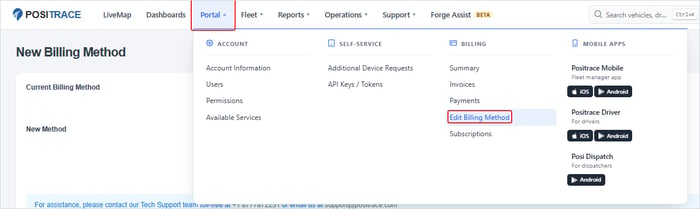
- Go to Portal > Billing > Edit Billing Method.
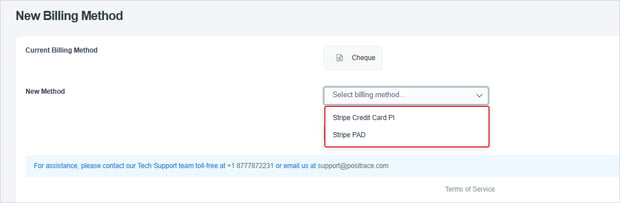
- In New Method, choose Stripe Credit Card PI.
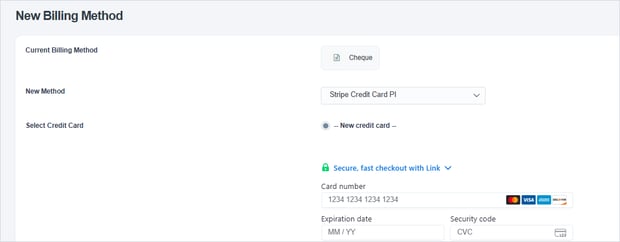
- Keep -- New credit card -- selected and enter the card number, expiration date, security code (CVC), country and postal code.
- Click Save. A message confirms that your billing method was updated.
To pay by pre-authorized debit from your bank account instead, see How do I update my billing method?
Keep your payment details safe: PosiTrace can't accept credit card information by phone or email, so please never send it that way. A PosiTrace representative will never ask for more than the last four digits and the expiry date of your card.